
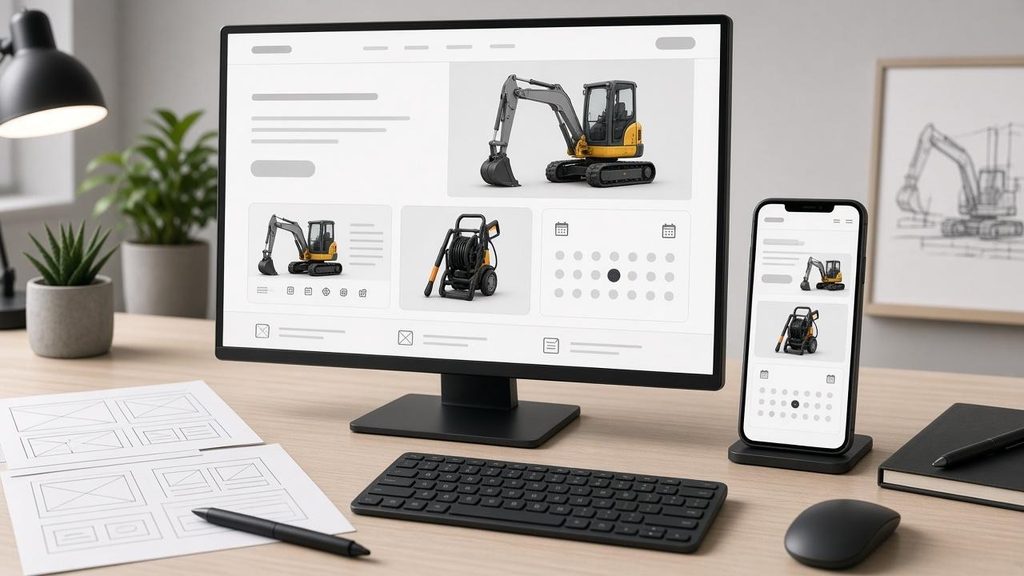
Equipment rental is a surprisingly digital business. Before a contractor calls about a mini excavator, or an event planner asks about generators, they have usually already searched online, compared two or three suppliers and decided who looks trustworthy. Your website is doing the first round of selling whether you planned it that way or not.
Yet many rental company websites are little more than a phone number, a few stock photos and a PDF price list from three years ago. That is a missed opportunity. In this article we look at what a high-converting rental website needs, from structure and speed to booking flows and trust signals.
Why Rental Websites Are Different
Most small business websites need to explain a service and capture a lead. Rental websites have a harder job. They have to:
- Show a large and changing catalogue of items
- Communicate availability and pricing that depend on dates
- Handle deposits, damage waivers and delivery options
- Reassure customers that equipment is safe, clean and serviced
That is closer to an e-commerce store crossed with a hotel booking site than a simple brochure. Agencies that design for professional services, as covered in this guide on website design for accountants and CPA firms, know that structure and trust drive conversions. Rental sites need those same foundations plus a few extras.
Start With the Customer’s Questions
Every page should answer the questions renters actually have:
- Do you have what I need? Clear categories and search.
- Is it available on my dates? Ideally live availability.
- How much will it cost? Daily, weekly and monthly rates, plus delivery.
- Can you deliver to my site? Service areas and lead times.
- What do I need to provide? ID, deposit, licences or operator certificates.
- Who do I call if something goes wrong? Support hours and contact options.
If a visitor has to phone just to find out whether you stock a 6-metre scissor lift, many will simply try the next result.
Information Architecture That Scales
Category pages that make sense to customers
Organise by how customers think, not how your warehouse is arranged. “Earthmoving,” “Access equipment,” “Power and lighting,” “Cleaning” and “Event equipment” are clearer than internal codes.
Product pages with real detail
Each item page should include:
- Original photos from several angles, not just manufacturer images
- Key specifications such as weight, dimensions, power source and reach
- Rental rates for different durations
- Delivery and transport information
- Safety notes and required certifications
- Related items and accessories
Filters that save time
Let users filter by size, power type, capacity, price and location. For large fleets, this is the difference between a quick booking and a bounce.
Booking Flow: Where Most Rental Sites Lose Customers
The most important design decision is how a visitor goes from “I want this” to “I have booked it.”
There are three common models:
- Enquiry form only. Simple, but slow. Customers wait for a quote and may book elsewhere.
- Request to book. Customers pick dates and items; staff confirm. A good middle ground.
- Instant booking. Customers check availability and pay a deposit online. Highest conversion when inventory data is reliable.
Whichever you choose, keep the flow short. Ask for dates first, show what is available, then collect contact and delivery details. Avoid forcing account creation before booking.
The catch is that online availability is only as good as the data behind it. If your website shows an item as available but it is actually out on a job, you have created a bad experience. That is why serious rental companies connect their website to their back-office system rather than relying on a static calendar plugin. A dedicated rental booking system can feed live inventory to the site, take deposits and create the contract automatically.
Speed and Mobile Experience
A large share of rental searches happen on phones, often from a job site with weak signal. Design accordingly:
- Compress images and use modern formats
- Lazy-load product grids
- Keep scripts lean and avoid heavy page builders where possible
- Make tap targets large and forms short
- Put the phone number and a “Check availability” button within thumb reach
Google’s guidance on Core Web Vitals is a useful benchmark. Fast, stable pages rank better and convert better, which matters even more on mobile.
Trust Signals Renters Look For
Hiring equipment involves risk on both sides. Your site should reduce that anxiety:
- Reviews and testimonials from real customers, ideally with project photos
- Safety and maintenance commitments, such as inspection before every hire
- Clear terms for deposits, damage, cancellations and late returns
- Accreditations and trade association memberships
- Real team photos and a physical address
A short “How renting works” section with three or four steps also helps first-time customers feel confident.
Local SEO Matters More Than You Think
Most rental searches are local: “skip hire near me,” “generator rental in [city],” “scaffolding hire [area].” To show up:
- Create location pages for each branch or service area with unique content
- Keep your Google Business Profile complete and active
- Use consistent name, address and phone details everywhere
- Add structured data for local business and products
- Publish helpful guides, such as which equipment suits which job
Measuring What Works
Once the site is live, track the metrics that matter:
- Availability checks started and completed
- Booking or enquiry conversion rate
- Calls from the website
- Top landing pages and drop-off points
- Page speed on mobile
Small changes, such as moving the date picker higher or adding delivery prices to product pages, often produce noticeable gains.
Final Thoughts
A rental company’s website is no longer just an online business card. It is the shop window, the sales desk and, increasingly, the booking counter. Designing it well means thinking about structure, speed, trust and above all a booking flow backed by accurate data.
For web agencies, rental businesses are a rewarding niche: the impact of good design shows up quickly in bookings. For rental owners, investing in the site and the systems behind it is one of the most direct ways to win more work from customers who have already decided to rent.